Remote Workforce Security
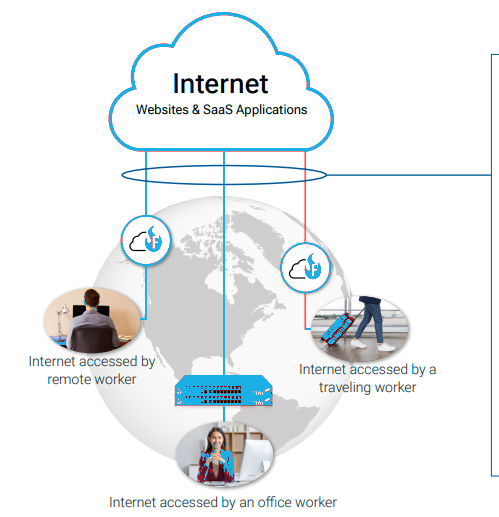
In 2026, the traditional corporate perimeter is dead. Your "office" is now every kitchen table, coffee shop Wi-Fi, and airport lounge your team touches. The old way of "protecting the building" is a old strategy that doesn't work in a world where your data travels in pockets. Today, your greatest asset your mobile workforce is also your greatest vulnerability. Every home smart-device, every public connection, and every personal tablet is a potential "unlocked window" into your company’s vault. To survive, you need an Identity-First shift that treats every network as hostile by default.
The Insights: 2025 Benchmarks
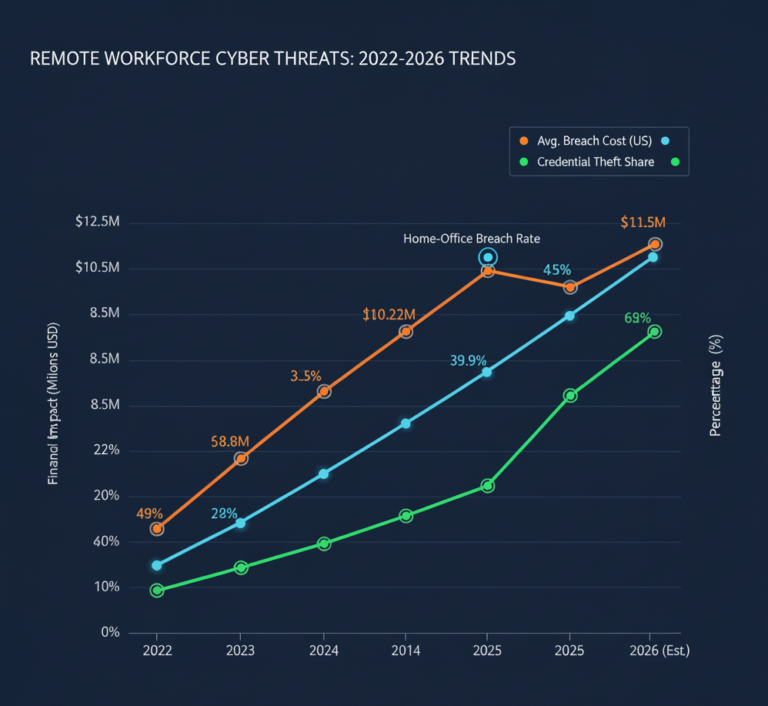
- The Home-Office Breach Rate: Nearly 40% of breaches start at home devices and spread to work laptops.
- Credential Vulnerability : 62% of security failures come from stolen credentials, not hacks exploiting outdated access trust.
- The $10.22M Penalty: The average U.S. breach now costs $10.22M, driven by regulatory fines and the high cleanup cost of identity-based attacks.
- The VPN Sunset: 70% of new remote access projects have moved away from traditional VPNs, which insurers increasingly classify as a security liability
The Problem
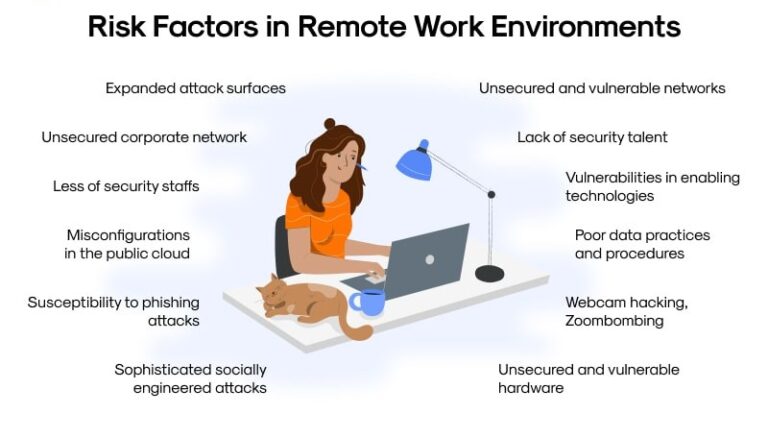
- Trusted Pipe” Risk : A VPN is like opening a tunnel into your company network. If a hacker gets in once, they can move around freely.
- Weak Home Devices : Hackers enter through a "weak link" like an employee’s smart camera or a child’s unpatched tablet, then jump to the work laptop.
- The "Always On" Vulnerability: VPNs that stay connected 24/7 give attackers a permanent window into your data, even when the employee isn't working.
- Implicit Trust Errors: Most old systems trust a device simply because it has the right password, ignoring the fact that the device itself might be infected.
Solution
- Implemented a zero-trust security framework to verify every user and device before granting access.
- Deployed endpoint protection and EDR tools to monitor devices continuously.
- Adaptive authentication ensures only authorized users gain access based on device posture, location, and behavior.
- Real-time threat monitoring and automated alerts detect and neutralize suspicious activity immediately.
- Employee awareness and training programs integrated with security tools to reduce human error.
Benefits
- 75% reduction in remote endpoint vulnerabilities.
- Secure access without disrupting workflow or productivity.
- Dramatically reduced risk of ransomware, data leaks, and operational downtime
- IT teams gain continuous visibility and control over distributed devices.
Quickly evaluate if your current security posture is built for the 2026 threat landscape or if you’re leaving a “backdoor” open for attackers.
1. When a remote employee logs into your system, can you see the security status of the other devices on their home Wi-Fi?
- (A) Yes, we monitor the entire home network.
- (B) No, we only see the work laptop.
2. Does your current remote access allow a user to see the entire network "folder tree," or only the specific apps they need?
- (A) Specific apps only.
- (B) The whole network (Legacy VPN).
3. If an employee’s laptop is stolen right now, how many seconds does it take for your system to revoke all access automatically?
- (A) Instant/under 60 seconds.
- (B) We have to manually disable the account.
4. Do you have a "Device Health Check" that blocks access if an employee's antivirus is turned off at home?
- (A) Yes, it’s automated.
- (B) No, we trust the device once they enter their password.
Your remote workforce is your #1 threat vector
You are running a "Locked Door" strategy in a "No Walls" world.
Zero Commitment. Zero Downtime. Total Clarity.